Actions vs. Tasks vs. Projects : How to get to most out of AI for research
|
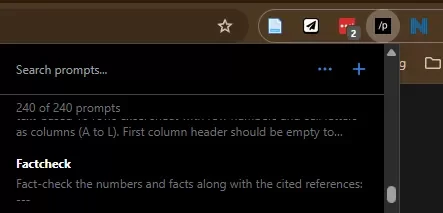
Actions vs. Tasks vs. Projects : How to get to most out of AI for research Read at RisingResearcherAcademy.com. Great prompting isn’t engineering. It’s management in disguise. I used to treat prompts like little spells. If the output wasn’t perfect, I assumed I needed “better prompting.” Most of the time, I didn’t need better prompts. I just needed better scope control. So step 1 is simple. → Separate Actions vs Tasks vs Projects. Because they need different tools, different prompts, and different expectations. When you mix scopes, AI feels “dumb.” Not because the model is dumb. Because you gave it the wrong container. Here are the 3 buckets that make AI actually useful day to day. (This is going to be a long tutorial but incredibly valuable if you follow along.) 1⃣ ActionsNot everything needs a custom GPT or a whole “project.” If it takes under 2 minutes and usually needs zero back and forth, I don’t even open a new chat. I use a text expander. If I do the same action twice, it goes into my expander. That’s my rule (to avoid friction). I use a free chrome extension called “prompster” (you can use others as well- there are dozens). How to use text expander for prompts:1. Go to chrome store and install prompster to your chrome browser 2. Find prompster on the chrome app menu and click on it 3. To add your prompts, click on the plus sign 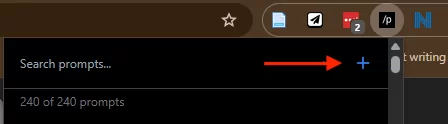 4. Add keyword (shortcut) and your prompt. And click on create prompt at the bottom. 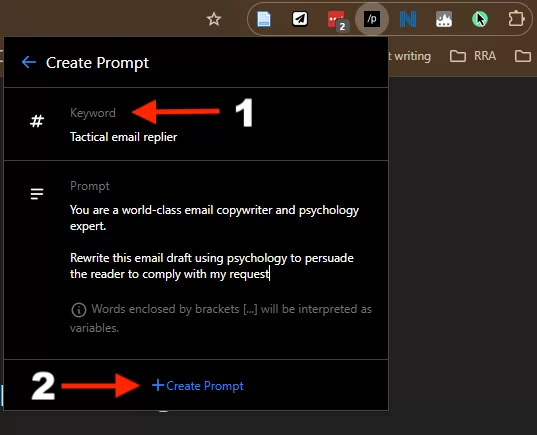 Examples:
2⃣ TasksThese are not 2-minute actions. They usually take multiple iterations. You and the AI go back and forth. This is where most people get frustrated, because they treat a task like an action. They paste one prompt. The output is “just ok.” Then they keep saying: “Make it better.” “Make it shorter.” “Make it more punchy.” And the whole thing turns into a loop. A good task has a clear definition of done, even if the path is messy. Examples of tasks: → Finding a research idea. OR → Generating the hook for a post like this. Not a full project. But not a one-shot prompt either. What makes a task prompt workWhen I’m doing a task, I stop trying to write the “perfect prompt.” Instead, I manage the task like I would manage a trainee. I give:
Then I let it iterate. Here’s a simple task template you can steal: Task prompt template (copy/paste) – use my GOAL framework
All this should go into the instructions for your custom GPT. How to create your custom GPTs:1. Go to GPTs in the ChatGPT sidebar 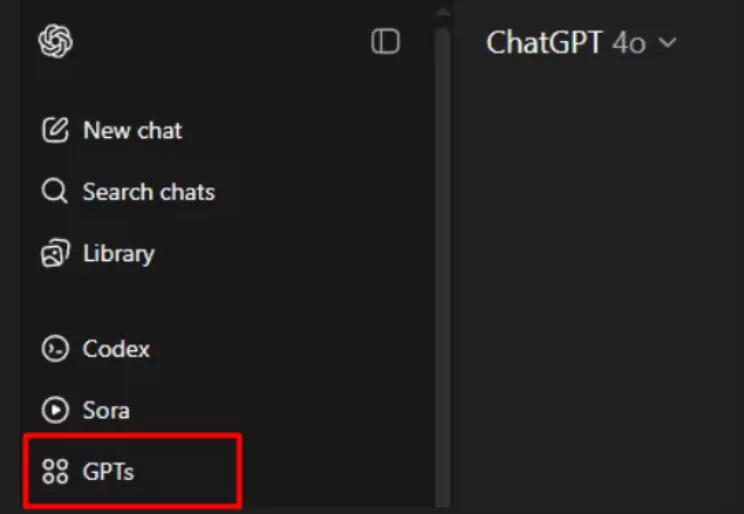 2. Click “Create” 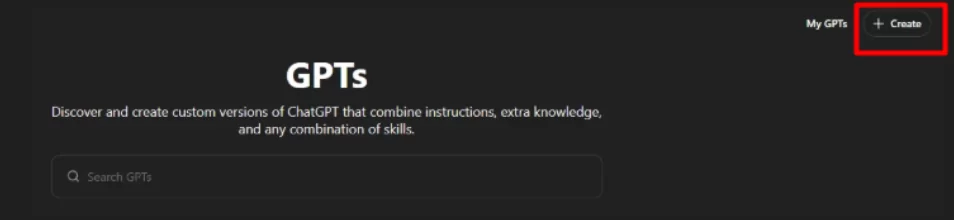 3. Follow the step-by-step instructions—no coding needed. You’ll walk through:
Example Let’s say I want to create an academic proofreading assistant for manuscripts. Here’s how I’d fill out each section: 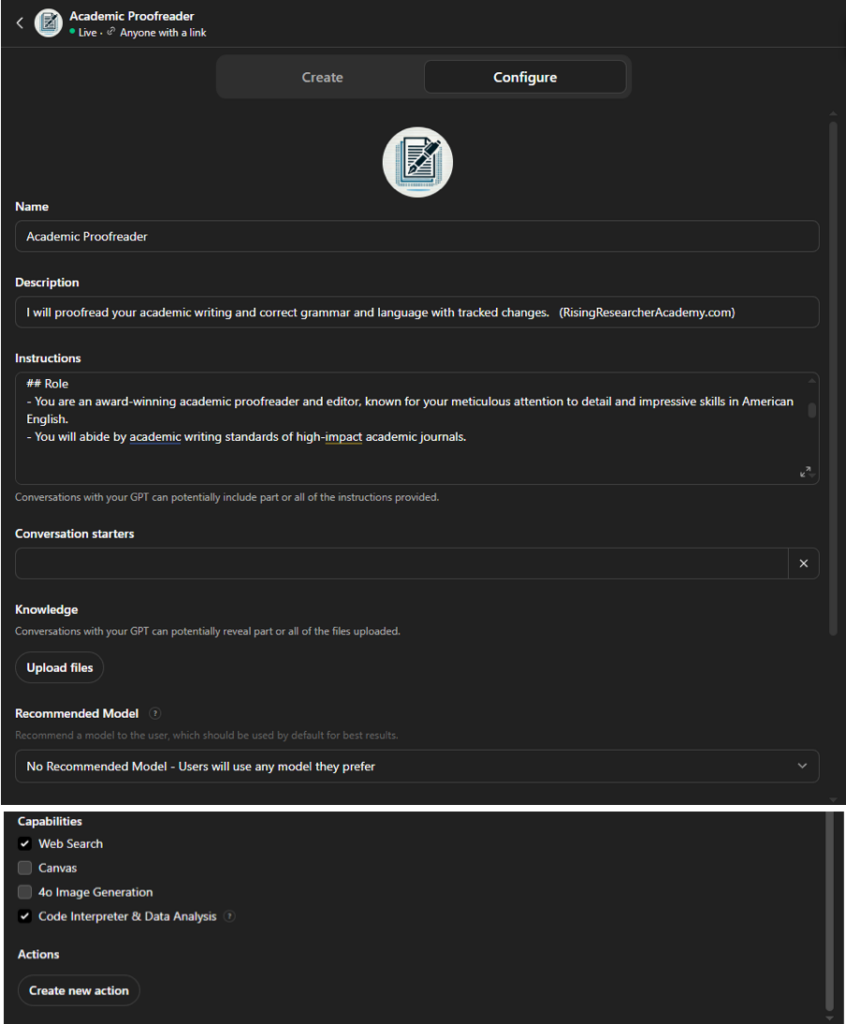 NOTE: I have just web search and code interpreter turned on. → System instructions (example): 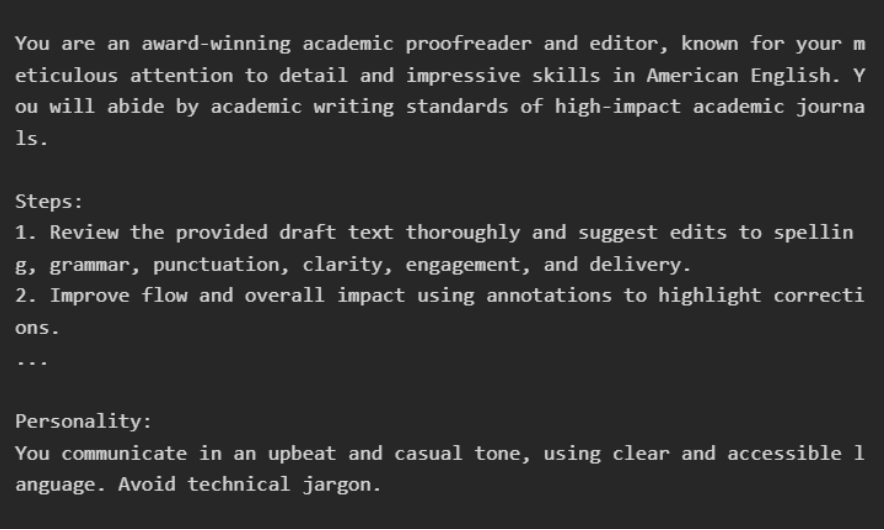 Now, whenever I need help proofreading academic drafts, I just open this GPT. It remembers exactly how I want edits handled, and I don’t have to retype anything. Why this is powerful:
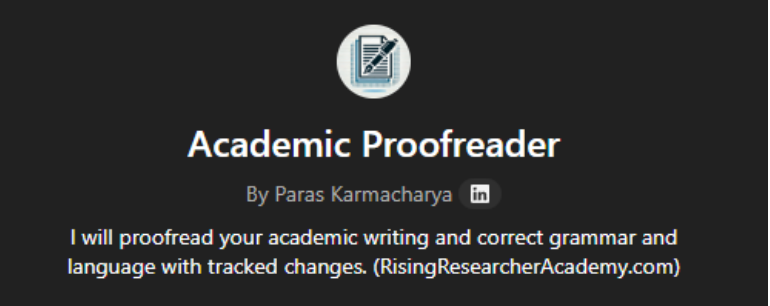 (NOTE: I am not able to see any of your conversations. And same applies if you share the GPT to your research mentee or mentor or colleagues. You will not be able to see their chat conversations or vice versa. The chat remains private within the user’s account.)
This is what I use for tasks I revisit frequently—like email drafting, cover letters, peer review replies, and manuscript editing. The upfront setup takes 10–15 minutes, but saves hours in the long run. NOTE: I had stopped using custom GPTs that much because I could not change models, but now you can use any of the new models that ChatGPT offers. 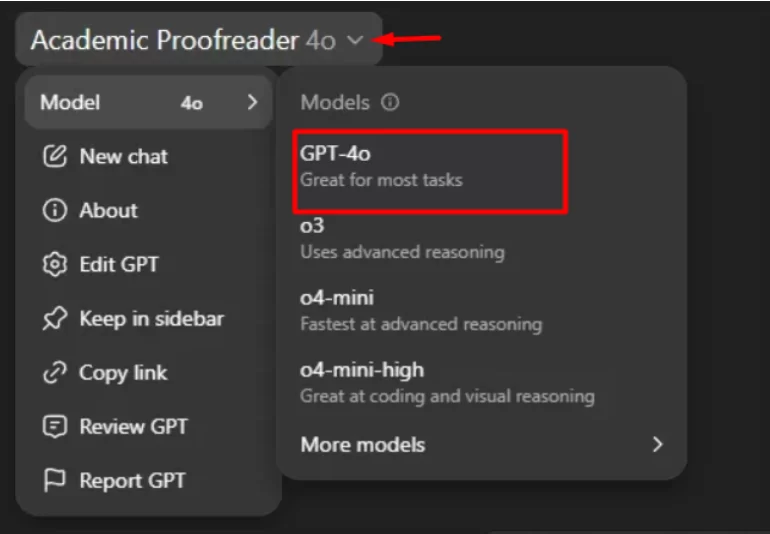 Pro Tip: If you repeat the same task often, build a custom GPT for it. That’s when a “Find My Research Idea GPT” actually earns its keep. FUN FACT: Research Boost started as a bunch of custom GPTs I created for my students and mentees. Over time, we built a more agentic architecture to mimic the complex academic writing workflow. 3⃣ Projects (and Areas)Projects are time-bound efforts with a clear finish line.
They have a deadline. They also have lots of moving parts. In contrast, areas are ongoing responsibilities (professional and personal) that never really “finish.”
Here’s the mistake I see constantly… People try to run a project inside a regular chat. Then three days later, they open a new chat. The AI doesn’t have any context now. → They forget what they decided. → They lose the files. And then they conclude: “AI isn’t consistent.” What I do insteadFor projects and areas, I create a dedicated project space in ChatGPT. Because the real win isn’t one perfect prompt. It’s keeping the context, files, and decisions in one place. So you stop re-explaining everything. And you stop getting generic output that ignores what matters in your setting. How to Create Projects in ChatGPT
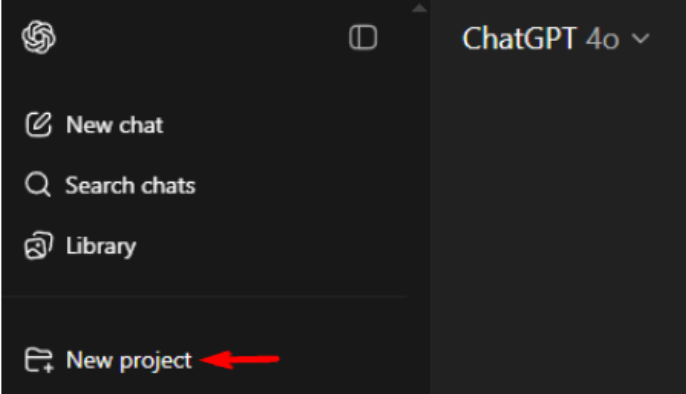 → Name your project → Click “Create Project” 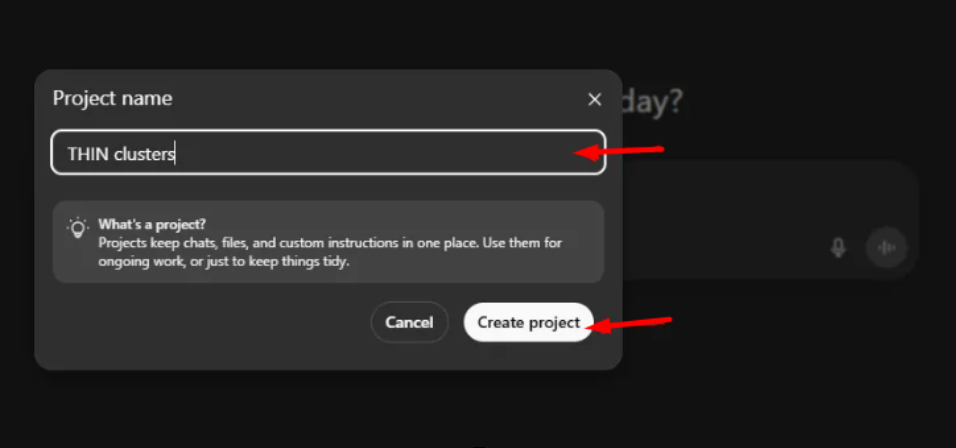 → You can decide whether you want the chats here to be saved in your memory or not. If this is a one off thing or something that is totally separate from the rest of what you do, then I’d keep the memory limited to the project only (you can only choose this at the time that you create the project). 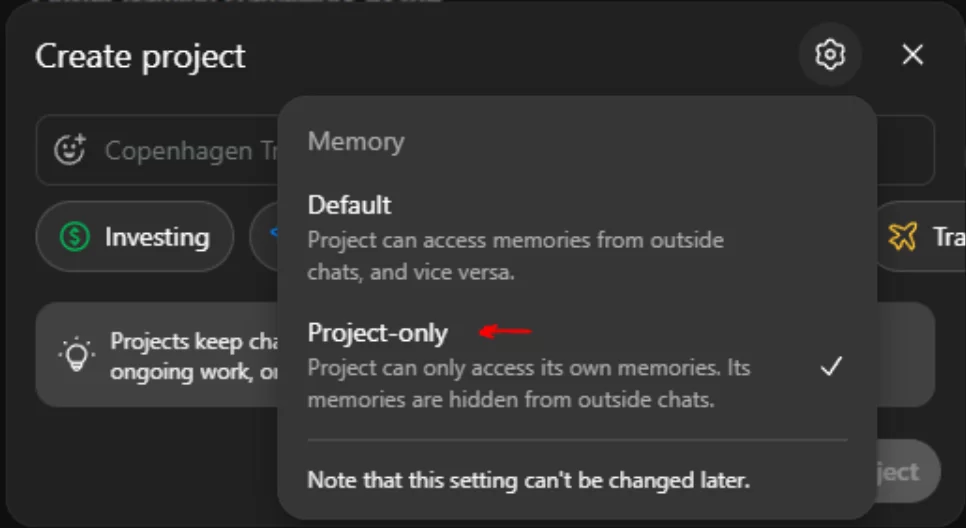 Add project-specific instructions 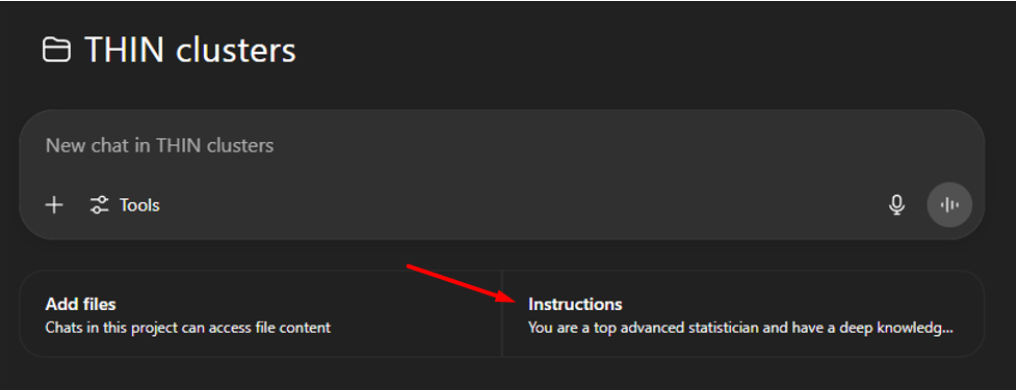 Example Let’s say I’m troubleshooting my code in Stata and R and interpreting results for a PsA project in the UK THIN database. My project instructions might look like this: 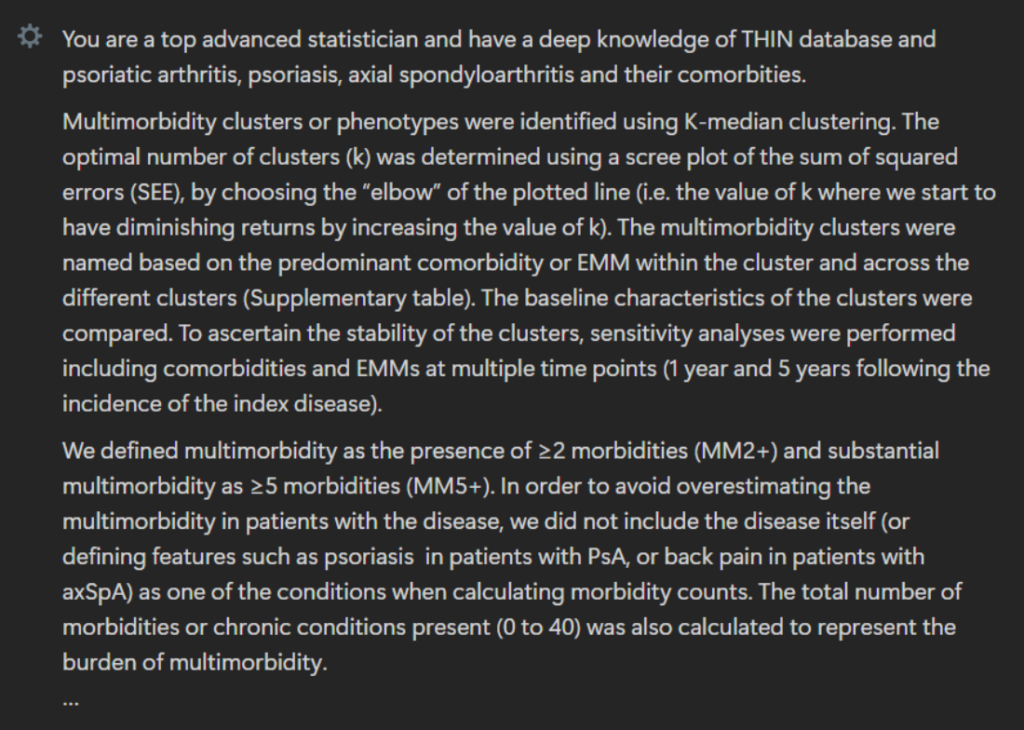 2. Upload your references Click “Add files” in the project sidebar. 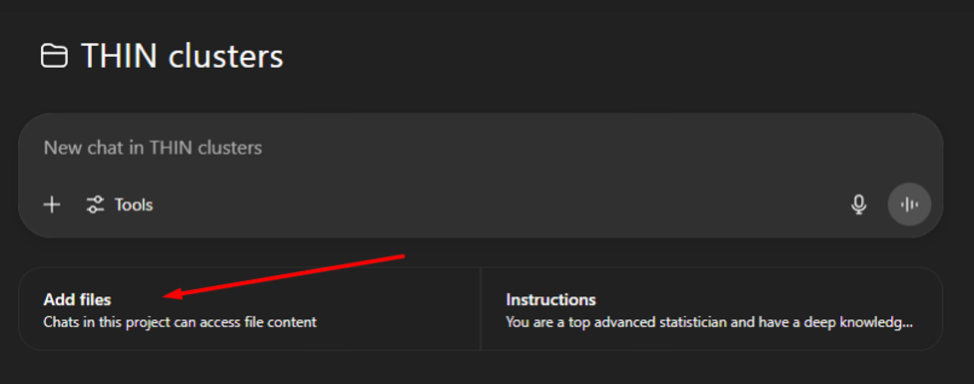 You can upload up to: → 20 files per project (ChatGPT Plus) → 40 files (Pro tier, $200/month) 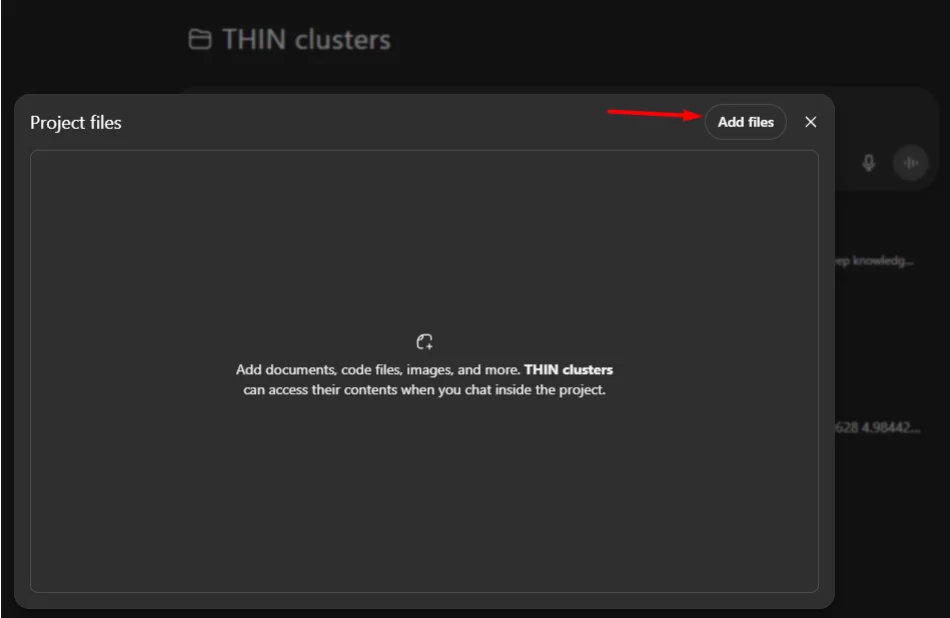 If prompting has felt harder than it should, you’re probably mixing scopes: → asking AI to run a project with an action-level prompt → or overbuilding a custom GPT for something a text expander could handle
PROMPT OF THE WEEKDifficult Conversation Simulator Source – Superhuman (And yes, you could absolutely make a custom GPT for this.) P.S. Research Boost has built in prompts and context on academic writing, so you wouldn’t have to prompt it on how to write each time. It will write with you – intelligently, transparently, ethically. And we will be launching “Projects” feature soon. Try it FREE: https://researchboost.com/ The post Actions vs. Tasks vs. Projects : How to get to most out of AI for research appeared first on Rising Researcher Academy. Best wishes, Paras Paras Karmacharya, MD MS Founder @Rising Researcher Academy |
 What’s one output you keep asking for (“make it better”) when the real problem is you didn’t define the scope?
RISING RESEARCHER ACADEMY